How to Test a Data Layer Before and After a Release
- Published
- 7 min read
In short: testing (QA-ing) a data layer means checking, before and after every release, that each event fires at the right moment, with the right variables and the right values. In practice: you start from the tracking plan, replay the key journeys, and confirm in GTM Preview mode and the console that the data being sent is correct.
Friday, 6 p.m. The site goes live, everyone heads home happy. Monday morning, the Google Analytics 4 numbers make no sense: purchases have collapsed, but the back office shows a perfectly normal weekend. What happened? A release moved a piece of code, one data layer event stopped firing, and nobody saw it. Because nobody had tested.
Data layer QA is exactly what prevents this scenario. It's the least glamorous part of tracking, the one you skip when you're in a hurry, and yet it's what separates trustworthy data from a dashboard that lies. In this article, I'll walk you through when to test, how to do it step by step, and I'll give you a reusable checklist of control points. Let's get into it.
Testing a data layer vs "setting up" a data layer
Yes, they're different, and it's a common mix-up. Setting up a data layer means implementing it: a developer writes the code that pushes the data and events. Testing it means verifying that this code actually does what it's supposed to.
As a reminder, the reference for all of this is the tracking plan: the document that specifies which events should be collected, with which variables and at what moment. Setting up the data layer means translating that plan into code. Testing means holding the code up against the plan and confirming they say the same thing.
A simple image: setting up the data layer is writing the text; testing is reading it back out loud to catch the typos before publishing. If you're not yet sure what a data layer is, start with this article before reading on.
The line to remember: an untested data layer is a data layer you don't know is correct.
When should you test your data layer?
The short answer: more often than you do today. In practice, QA is called for at four moments:
- When a tracking plan first goes in. The first pass almost always has typos: a missing variable, a wrong format, an event in the wrong place.
- Before every release, ideally in staging. That's the moment to confirm what's about to go live is correct, while you can still fix it stress-free.
- After every release, in production this time. Because a deployment can hold surprises staging never revealed.
- After any redesign, new feature, or CMP change (the consent management platform). These jobs touch the code and the load order, two things the data layer depends on directly.
The rule is simple: every time the site changes, tracking can break. So every time the site changes, you test.
How do you test a data layer, step by step?
Start from the tracking plan
You don't QA "by feel." You start from the tracking plan, event by event, and tick each one off. If the plan calls for an add_to_cart with a currency, a value, and a list of items, that's exactly what you go looking for. No up-to-date tracking plan? That's the first job, before you even start testing.
Replay the key journeys like a user
You go through the site for real: product page, add to cart, checkout funnel, form, login. At each step, one or more events should fire. The idea is to reproduce your users' real journeys, not just the homepage and a product page. Keep in mind that regressions often hide in the journeys you test least: checkout, the account area, error cases.
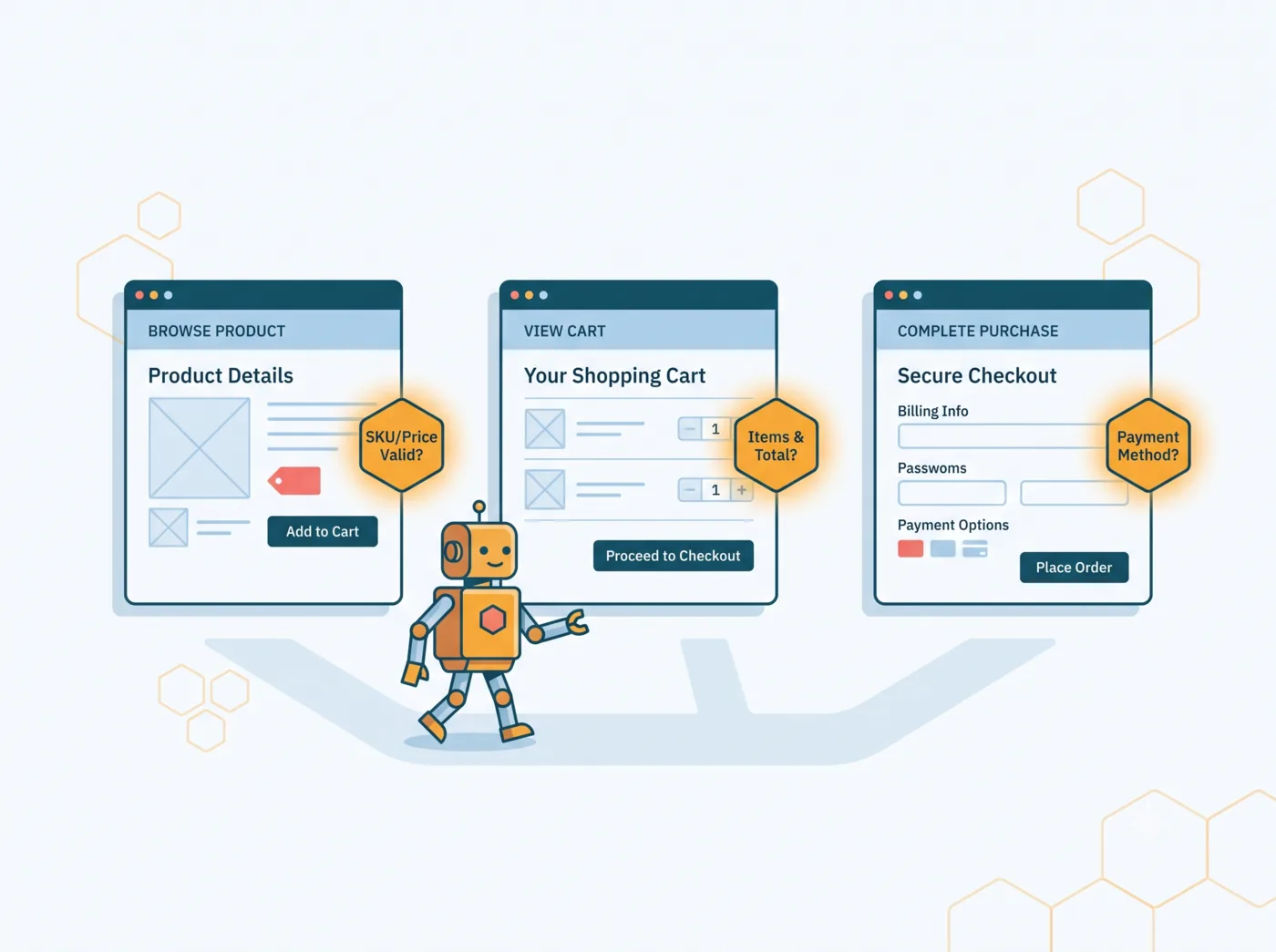
Check structure, values, and firing
This is the heart of QA. For each event, you open GTM Preview mode and the browser console, and you check three things:
- Does the event fire at the right moment (not too early, not twice)?
- Are all the expected variables present, and correctly named?
- Are the values correct: right format, right type, no
undefined, no empty field?
Concretely, on an add-to-cart, you'd expect to see something like this come through:
window.dataLayer.push({
  event: 'add_to_cart',
  ecommerce: {
    currency: 'EUR',
    value: 29.90,
    items: [{ item_id: 'SKU-123', item_name: 'T-shirt', price: 29.90 }]
  }
});
If value comes through as 0, if items is empty, or if the event doesn't fire at all, you've just found a bug before it pollutes your data. That's the whole point.
Check push order and consent
One last point, often overlooked: order. Consent-related events must fire before custom events, or you risk collecting (or losing) data at the wrong moment. Preview mode lets you visualize that sequence and spot race conditions, those situations where two scripts chase each other and the outcome depends on who wins the race.
The control-point checklist
Here's the checklist I use with clients. It's reusable as is, event by event.
| Control point | What you check | Tool |
|---|---|---|
| Event name | Matches the tracking plan exactly | GTM Preview / console |
| Firing | Fires at the right moment, only once | GTM Preview |
| Variables present | All expected variables are there | GTM Preview / console |
| Value format | Right type (number, string), no undefined | Console |
| Non-empty values | No empty field or empty items list | Console |
| Consistent casing | camelCase or snake_case, not both | Console |
| Uniqueness | No duplicate (event or duplicate GTM container) | GTM Preview |
| Order and consent | Consent fires before custom events | GTM Preview |
| Arrival in the tool | The hit actually lands in GA4, Meta or the CDP | GA4 DebugView / network tab |
Worth noting: the last row is the most forgotten one. A correct data layer doesn't guarantee that the hit (the request sent to the tool) arrives correct in GA4 or Meta. Checking the data layer is necessary. Checking that the data reaches its destination is the level above.
The errors QA lets you catch
To make this concrete, here are real (anonymized) cases that QA caught, or would have prevented:
- The silent cart. After a new cart shipped, the
view_cartevent stopped firing entirely. Nobody realized for weeks. - The purchase with no amount. After a funnel redesign, the
purchaseevent fired to GA4 but without the amount. The result: sales counted, but a phantom revenue figure. - The double count. Two GTM containers coexisted on the site after a migration. Every
page_viewwas counted twice. Traffic looked excellent; it was wrong. - The empty list. After a migration, the
itemsarray went to GA4 empty. E-commerce revenue was mechanically underestimated, with no alert whatsoever.
The common thread in all these cases: the regression goes unnoticed for weeks, until an analysis or a media budget suffers for it. That's exactly what rigorous QA, done at the right moment, prevents.
Manual QA or continuous monitoring: the limits of doing it by hand
Everything I've just described is manual QA. And let's be honest: it's essential, but it has a serious limitation. It doesn't scale.
Testing by hand means replaying every journey, on mobile and desktop, for every event, on every release. On a large site shipping several times a week, that's untenable. So you QA at launch, then now and then, and between two QA passes the tracking can break with nobody watching. Human QA is a snapshot at a point in time, not continuous monitoring.
That's precisely the gap MayIA° fills: a system that replays journeys like a user and checks every data layer event continuously, before and after each release, with a contextualized alert when something breaks. Manual QA stays perfect for initial scoping and complex cases; automation takes over for what a human can't do: watch permanently.
Wrapping up
If there's one thing to take away: testing a data layer isn't an end-of-project formality, it's a reflex at every change to the site. Start from the tracking plan, replay the real journeys, check structure, values, and firing, and above all don't forget to verify that the data actually reaches your tools.
Have a redesign or a big release coming up and want to secure your collection? Feel free to reach out to us at Smart Bees, we'll look at it together.
FAQ
What's the difference between testing and debugging a data layer?
Testing (QA) methodically checks that the data layer matches the tracking plan, usually before or after a release. Debugging diagnoses and fixes a specific, already-identified problem. QA is preventive; debugging is curative.
Should you test in staging or in production?
Both ideally. Staging validates before go-live while you can fix without impact. Production confirms everything behaves after deployment. One does not replace the other.
How long does a data layer QA take?
It depends on the number of events and journey complexity. On an e-commerce site, serious QA ranges from a few hours to a few days, especially when covering mobile and desktop separately.
Can you automate data layer QA?
Yes, in part. Monitoring solutions replay journeys and check events continuously, taking over from manual QA for ongoing surveillance. Human QA stays useful for scoping and complex cases.
Who should test the data layer, the developer or the analyst?
Ideally both. The developer checks the technical side, the analyst confirms the collected data matches the measurement needs in the tracking plan. QA is a meeting point between technical and business use.