Tags Firing Before Consent: The Double Risk (and How to Fix It)
- Published
- 7 min read
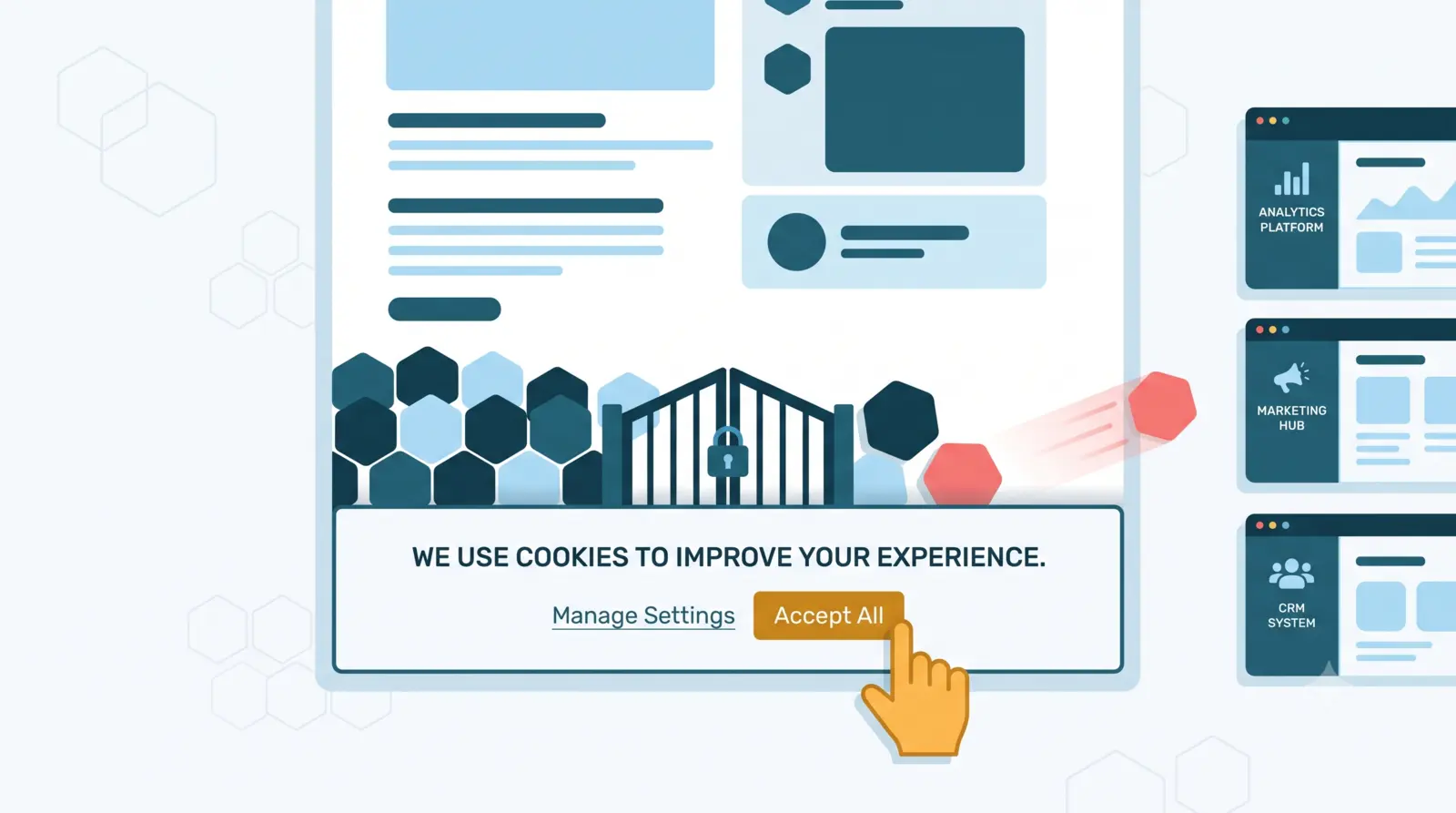
In short: a tag firing before consent can be a double problem: collection with no legal basis under the GDPR, or lost conversions if consent mode is misconfigured. But watch out: with the advanced mode of Consent Mode v2, it's perfectly normal for Google tags to fire before consent, as cookieless pings. So it all depends on the configuration, and the Network tab lets you tell the difference.
Here's a scene I see often. You land on a site, the cookie banner appears, you haven't clicked anything yet, and yet in the console, requests are already leaving toward Google Analytics and Meta. A compliance failure, or perfectly normal behavior? The answer, as you'll see, is: it depends, and that's exactly where a lot of teams get it wrong, in both directions.
Consent is where the legal and the technical meet. Handled badly, it exposes you to regulators on one side and costs you conversions on the other. In this article, I'll explain why a tag firing too early is a double risk, how to spot it simply, and how to fix it. Let's get into it.
Why a tag firing before consent is a double problem
We rarely talk about both sides of this at once. Yet they matter equally.
The legal side. The GDPR and data protection authorities are clear: non-essential cookies and trackers, and the personal data they collect, must only fire after explicit consent. A tag that drops a cookie or sends personal data before that consent is collection with no legal basis, and grounds for a penalty in an audit. One important nuance, which I detail below: a hit with no cookie and no personal data, like the advanced consent mode pings, doesn't fall under this prohibition.
The data side. At the other extreme, when you tighten the screws too much or misconfigure consent mode, you can make conversions disappear: platforms receive nothing, or receive degraded data. You're compliant, but your reports undercount.
The line to remember: a tracker that collects too early is illegal; a consent mode that's too restrictive or badly set is lost data. The whole point is to collect at the right moment, with the right configuration.
Why it happens
A tag firing before consent is almost never intentional. It's a problem of order and timing. The most common causes:
- Load order. Your CMP (the consent management platform: Didomi, OneTrust, Axeptio, Cookiebot, and so on) must load and communicate the consent state before the tags fire. If a tag starts before the CMP has given the signal, it leaves without waiting. It's the same sequencing logic as the data layer, which has to be initialized before GTM so the tags find their data.
- A CMP that's too slow. The banner appears with a slight delay, and in that brief window, some tags have already had time to fire.
- The hard-coded tag. A pixel dropped directly into the site's code, outside GTM, that respects no consent rule because it's wired to nothing.
- Misconfigured consent mode. Google's consent mode (in its v2 version) should set a default "denied" state and then update it on consent. Set up wrong, it lets things through or blocks at the wrong moment.
- The release that breaks the order. A redesign or a new script changes the load sequence, and consent ends up running after the tags. It worked yesterday, not today.
How to spot a tag firing before consent (and when it's normal)
Good news: the most reliable test is also the simplest, and you need no paid tool.
The Network tab, before the click. Open your browser's developer console, go to the Network tab, then land on the page without clicking anything on the consent banner. Look at the requests leaving. You may already see hits to Google Analytics (/g/collect), Meta (/tr), or other trackers. But before crying wolf, a crucial nuance: not every hit before consent is a fault.
The nuance that changes everything: basic vs advanced mode. Since Google's Consent Mode v2, there are two ways to implement it, and they behave completely differently.
- Basic mode. Google tags are outright blocked until consent is given. In that case, seeing a Google hit leave before the click is indeed an anomaly.
- Advanced mode. Google tags still load and fire, but as long as consent isn't granted, they only send cookieless pings: no personal data, no cookie dropped, just a signal indicating the absence of consent (the
gcsandgcdparameters in the hit). This is intended, and it's compliant.
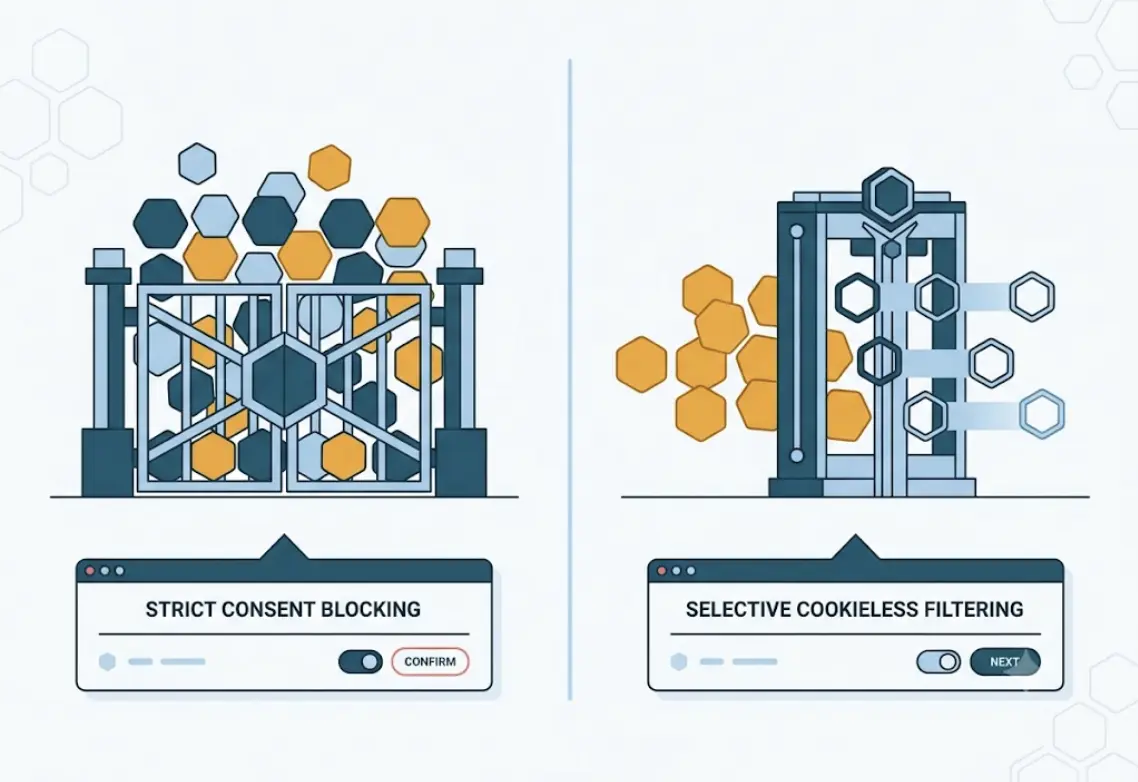
Concretely, in the Network tab, a /g/collect or Google Ads request before the click isn't necessarily a problem: you have to check whether the hit drops cookies and whether it carries the "denied" consent signal. A non-Google tag, on the other hand (the Meta /tr pixel, a TikTok pixel, a homegrown tag), firing before consent remains a real anomaly: those trackers have no cookieless mode, they genuinely collect, with no legal basis.
Consent mode in GTM. GTM's Preview mode shows the consent state (granted or denied) at the moment each tag fires. If a non-Google tag fires while consent is still denied, that's a clear signal.
CMP debug mode. Most CMPs, Axeptio and Didomi among them, offer a debug mode that shows the consent state in real time. Handy for confirming that the CMP is sending the right signal, at the right moment.
One useful clarification: knowing when a hit leaves doesn't yet tell you what it contains. Once consent is granted, you still have to verify that hits land right in GA4, Meta, or Segment — that's the other half of the job, and it plays out further down the chain.
How to fix it
Once the problem is spotted, the fix comes down to a few principles:
- Load the CMP first. It must be as high as possible in the page load, before your tags, so it can give the consent signal in time.
- Condition your triggers. In GTM, the tags concerned should only fire if the consent state allows it. You lean on consent mode and on triggers conditioned by the consent state for this.
- Choose the right consent mode. Basic mode blocks everything until consent, advanced mode lets cookieless pings through that preserve modeled measurement. Advanced mode recovers more signal, provided it's correctly configured.
- Set consent mode cleanly. Default state "denied," update the moment the user accepts. That's the foundation of a compliant setup that, done well, still preserves some measurement through modeling.
- Hunt down hard-coded tags and non-Google trackers. Find the pixels dropped directly in the code, outside GTM, and the trackers with no cookieless mode (Meta, TikTok). Bring them under the CMP's control. They're the quietest troublemakers.
Keep in mind that a well-integrated CMP (whichever it is: Axeptio, Didomi, OneTrust, or Cookiebot) resolves the vast majority of cases. The choice of tool matters less than the quality of its integration.
The real trap: the order breaks again on every release
Here's the point almost nobody anticipates. You can set the order perfectly today, check everything, be fully compliant. Then a redesign lands, a developer adds a script, a tag moves, and the order breaks again. Silently.
The problem is that this check isn't a one-time job. On every release, you'd have to reopen the Network tab, land on the page without clicking, and verify that no tag fires before consent, on mobile as well as desktop. It's one more control point to add to testing the data layer — suffice to say nobody does it by hand systematically.
That's exactly what MayIA°'s data layer monitoring watches: the agent replays journeys and continuously checks the firing order against the CMP, to alert you the moment a tag starts firing before consent. Compliance isn't a box you tick once, it's a state to maintain with every change to the site.
Wrapping up
If there's one thing to take away: consent comes down to configuration. A tracker collecting too early puts you at legal fault; a misconfigured consent mode costs you conversions. And not every hit before consent is a fault: in advanced mode, the cookieless pings from Google tags are normal. Between the two, there's a CMP loaded first and properly conditioned triggers.
And as with the rest of tracking, the real risk isn't setting it up right once, it's watching it break again in silence on the next release.
Want to check that your site collects nothing before consent, or secure your compliance before a redesign? Reach out to the MayIA° team, we'll look at it together.
FAQ
Is a tag firing before consent illegal?
It depends on what it does. If it drops a non-essential cookie or sends personal data before consent, yes: the GDPR and data protection authorities require explicit prior consent, and it's grounds for a penalty. A hit with no cookie and no personal data, like the advanced consent mode pings, doesn't fall under that prohibition.
Is it normal for GA4 or Google Ads to fire before consent?
Yes, if you use the advanced mode of Consent Mode v2. In that mode, Google tags still fire before consent, but only send cookieless pings that signal the absence of consent, with no personal data. In basic mode, by contrast, Google tags are blocked until consent, so a hit before the click would be an anomaly.
How do I check that my tags respect consent?
The simplest method is the browser Network tab: land on the page without clicking the banner and check what leaves. In addition, GTM Preview mode shows the consent state at the firing of each tag, and your CMP's debug mode confirms the signal being sent.
What is Google's consent mode?
Consent mode adjusts the behavior of Google tags based on the user's consent choice. In its v2 version, it sets a default state, usually "denied," then updates it as soon as the user accepts. Configured well, it keeps you compliant while preserving partial measurement through modeling.
Does consent mode lose conversions?
It can, if misconfigured or in case of mass rejection. When a user declines, platforms receive degraded or modeled data rather than real data. A well-set consent mode, in advanced mode, limits the damage and avoids losing conversions needlessly.
Which CMP should you choose to manage consent?
Didomi, OneTrust, Axeptio, and Cookiebot are among the most common, and they all do the job correctly. The choice depends on your context (language, budget, ecosystem). The critical point isn't the tool, it's the quality of its integration.